Modernizing a Mission-Critical Document System
Redesigning USDA’s legacy document workflows and migrating 63,000+ files to SharePoint, saving more than $300K annually.
This project involved an internal USDA system, so only select aspects of the project are able to be shared.

Problem
USDA field staff relied on a document-management system built on aging platforms that made everyday work unnecessarily difficult. Finding the right document was slow, navigation was inconsistent, and staff had limited visibility into versions, statuses, and ownership.
The system supported more than 63,000 documents across 53 content types, 16 workflows, and up to 23 statuses per document. Replacing it was not simply a platform migration: it required preserving mission-critical processes while making them easier to understand, navigate, and maintain.
As Lead UX/UI Designer, I helped redesign the information architecture, search experience, metadata model, and workflow views as the system moved from IBM FileNet and Quark Publishing Platform to SharePoint. The migration retired costly legacy infrastructure, saving the USDA more than $300,000 annually.
The Problem
The legacy system had become a barrier to both daily work and long-term maintenance:
Staff struggled to find and distinguish current documents.
Version history and workflow ownership were difficult to understand.
Multiple disconnected systems weakened accountability.
The agency was paying more than $300,000 annually to maintain outdated infrastructure.
Any replacement had to support complex existing processes without disrupting field operations.
My Role
I led UX/UI design across discovery, information architecture, workflow modeling, prototyping, and usability testing. I partnered with a 14-person Agile team, developers, product managers, and USDA stakeholders to translate complex document rules into interfaces that field and office staff could use with less friction.
My main design responsibilities were:
Mapping the existing document lifecycle across content types, workflows, and statuses
Identifying where navigation, search, and handoffs created the most friction
Designing the information architecture and metadata structure for the SharePoint system
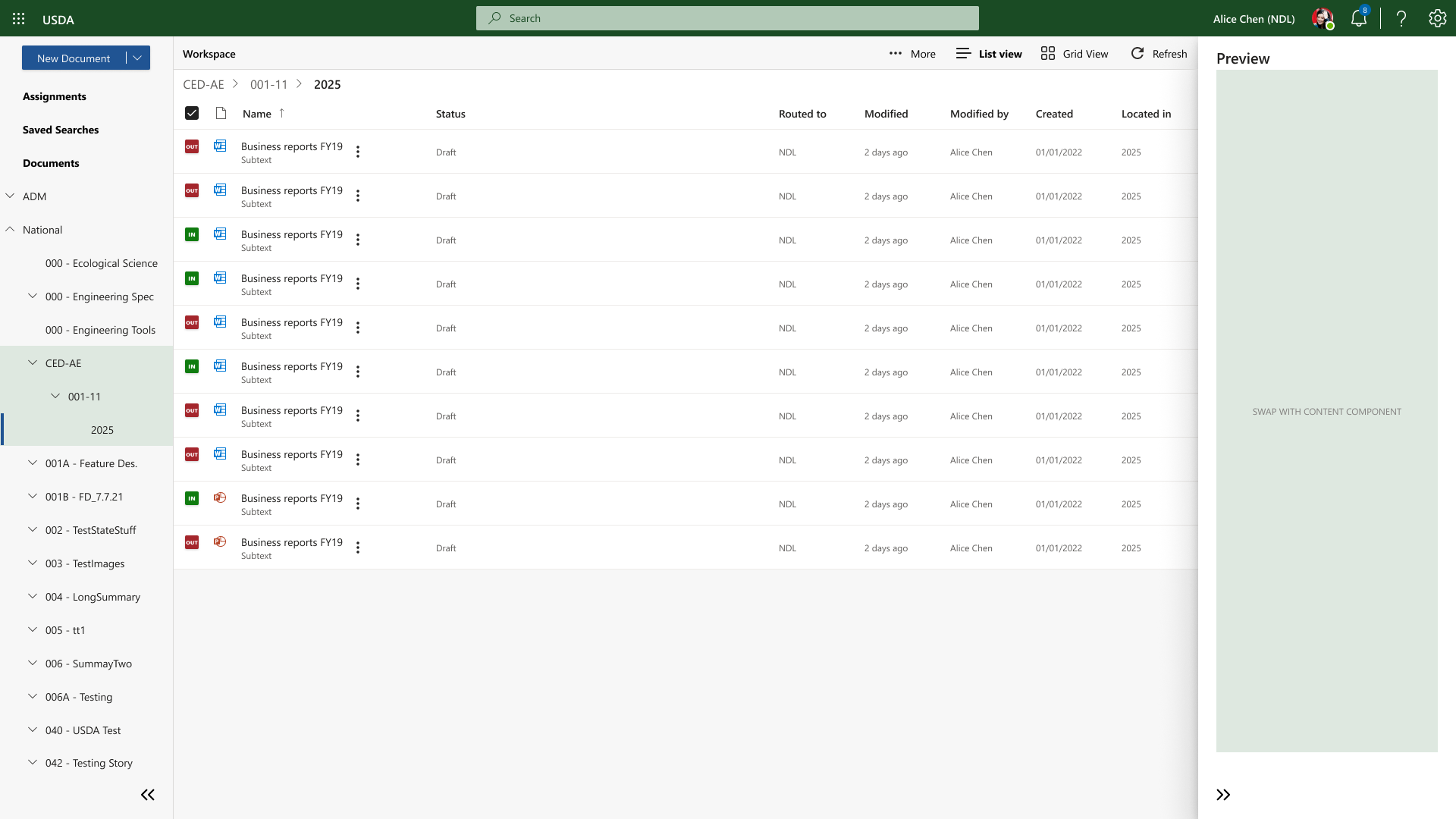
Creating list and grid views for different working styles and information needs
Prototyping and testing workflow, search, and document-tracking patterns
Establishing reusable design libraries and workflows for future teams
Approach
Preserve critical workflows before optimizing them
Rather than redesign every process at once, I prioritized migration stability and adoption. Existing workflows and statuses were preserved where changing them would have created operational risk. This created a safer foundation for future improvements.
Separate the information model from the interface
The system needed to support many document types without forcing users through the same experience every time. I used metadata, content types, and structured navigation to make the underlying system more scalable while keeping the interface understandable.
Support different ways of working
Field staff often needed to scan and locate a document quickly, while office staff needed more detailed tracking information. List and grid views allowed both groups to work with the same data in a format suited to their tasks.
Design for maintainability
The solution had to outlast the original project team. Standardized libraries, patterns, and workflows gave future teams a more consistent foundation and reduced dependence on one designer to maintain the experience.
Impact
$300,000 saved annually by retiring legacy systems
10% higher adoption within 6 - 8 months
Reduced worktime and improved efficiency for government staff
Improved document accountability and security, giving field staff a reliable audit trail
A scalable, user-centered foundation for future USDA platforms
In Closing
This project changed how I think about large-scale modernization. The best solution was not the most ambitious redesign; it was the one that gave staff a more usable system while respecting the operational realities of a multi-year migration.
I learned to sequence improvements carefully, preserve what users depended on, and create patterns that future teams could extend. In complex environments, good design is not just about making a workflow clearer today. It is also about giving the organization a system it can maintain and improve tomorrow.